
As usual, I did not give myself enough time to play around, but here is my butterfly pattern.
Showing posts with label pattern. Show all posts
Showing posts with label pattern. Show all posts
Wednesday, July 6, 2011
Butterflies!
Another week--another pattern. This week's theme on Spoonflower was butterflies with a limited palette. The following were the only colors allowed, though there was no requirement to use all of them.
As usual, I did not give myself enough time to play around, but here is my butterfly pattern.
![]()
As usual, I did not give myself enough time to play around, but here is my butterfly pattern.

Wednesday, May 4, 2011
Musical Whales
Musical Whales is a new pattern I completed last night, just barely in time to submit it to the Black & White "fabric of the week" contest on Spoonflower.
When the black & white theme was announced, I immediately thought of the piano keys. How that evolved into whales, I know not.
Let me know what you would like to see made out of this fabric.
 |
| Musical Whales Pattern |
 |
| Musical Whales Pattern Detail |
Friday, December 10, 2010
Winter Flowers and Owl Matryoshkas
In the last three years, I have been making greeting cards by hand. I had a great time learning how to make linocut prints and trying out screen printing. Yet the experience shows that the precious month between Thanksgiving and Christmas might not be the right time to try out any new techniques. Combining the usual holiday time crunch with my hopeless tendency to procrastinate results in lots of stress and less then perfect product.

This year I chose to curb my urge to do some screen printing. Instead I am digitizing my designs and printing them out on my inkjet. Delegating to the printer gave me a bit more time to bring my designs to completion sooner. The current themes seem to include owls in the shape of matryoshkas (those nested Russian dolls), largely inspired by burrowing owls, and patterns--both are now available in my Etsy shop. The plan is to work on nested owls next.
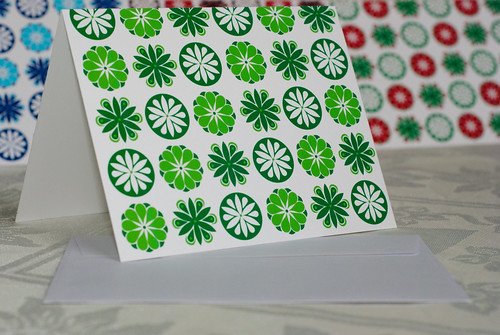
This year I chose to curb my urge to do some screen printing. Instead I am digitizing my designs and printing them out on my inkjet. Delegating to the printer gave me a bit more time to bring my designs to completion sooner. The current themes seem to include owls in the shape of matryoshkas (those nested Russian dolls), largely inspired by burrowing owls, and patterns--both are now available in my Etsy shop. The plan is to work on nested owls next.
 |  |  |  |
Tuesday, September 22, 2009
Patterns in Adobe Illustrator
After over a week of tinkering with shapes and rectangles, I have finally succeeded at creating a truely seamless pattern in Adobe Illustrator. (If you are wondering how the pattern in my previous post was created--by copy/pasting the shapes several times at regular distances.)
 My pitfall was losing a few invisible rectangles. Let me explain. (If you are not an aspiring Adobe Illustrator amateurs like myself, the following details may not be particularly exciting.)
In order to define the bounding box for the repeating design, I had to create a rectangle that has no fill and border. Of course, you cannot see a borderless colorless rectangle unless you hover over its edge or select it. In the process of creating my pattern multiple times in the same document, I inadvertantly left a few of these rectangles behind. Since a design for a pattern can only have one bounding box, these multiple rectangles were no doubt confusing the tool. Last night as an act of desperation I started browsing through the layers in my pattern, and that is how I discovered that I had a few more invisible rectangles than I expected. Once I deleted all but one, my pattern generated correctly.
Friday, September 11, 2009
First Pattern Attempt--Sea Shells
Summer has been busy, and sadly I have hardly done any arts and crafts. But now I am trying to get back into the swing of things.
Since I LOVE looking at different patterns (e.g. fabrics, wallpaper, etc.), I decided to try and design one. I seem to be on an ocean/sea shell theme kick right now.

Since I LOVE looking at different patterns (e.g. fabrics, wallpaper, etc.), I decided to try and design one. I seem to be on an ocean/sea shell theme kick right now.

Subscribe to:
Posts (Atom)
